Rain Garden · Graduate project · Quest Pro (VR) · 2024
A VR lesson that teaches water conservation by doing
Players watch a storm flood a neighborhood, then fix it with their own hands. Designed and built in Unity for Meta Quest Pro.
- Role
- Solo team
- When
- 2024, University of Michigan
- Platform
- Meta Quest Pro
- Recognition
- Award winner, UMSI Expo 2024
The problem
Rain gardens stop flooding, but few people have seen one.
A rain garden captures stormwater runoff and filters it clean, preventing pollution and flooding and recharging groundwater. Most people have little exposure to solutions like it, and the explanations that exist are hard to remember. Watching the water move is far more convincing than reading about it.
The experience
Players watch the flood, then fix it with their own hands.
A checklist that lives in the world guides players through four steps, from the storm to a garden that catches the next rain.
- See the stormRain falls on a neighborhood with no conservation measures, causing erosion, flooding and pollution.
- Measure the roofPoint and click to measure the roof. A rain garden should be about 15–30% of its area.
- Redirect the waterTake off the lower downspout and move it so stormwater flows toward the garden.
- Plant the gardenDig, design and plant, then watch the garden catch the next rain.
Interaction design
Each step uses a controller action that matches the real one.
I sketched the whole flow, then built it in Unity across two prototypes, so players learn the lesson by doing.
- A clipboard you holdThe checklist lives on a clipboard. Each step unlocks only after the last one is done, so no step is a guess.
- Point to measureRaycasting turns the controller into a measuring tool for the roof.
- Snap into placeThe downspout is a grabbable that snaps into its new position, like the real fitting.
- TeleportTeleporting moves you around the yard one step at a time.
Accessibility and inclusion
Readable, inclusive and steady.
- High-contrast textInstructions stay legible against a bright, busy garden.
- Color-blind-safe UII corrected UI and text colors for three types of color blindness, so progress never depends on telling red from green.
- Grab near or farGrab objects up close or from a distance, so reaching never strains.
- Hands without identityThe player's hands are blue, with no set gender or race, so anyone can see themselves in the role.
- Reducing motion sicknessBackground trees turned with your head, so I swapped them for hand-placed models and cut the swaying grass.
- Text to speechInstructions read aloud automatically on the first screen and on tap for each checklist item, with volume on the main screen.
Recognition
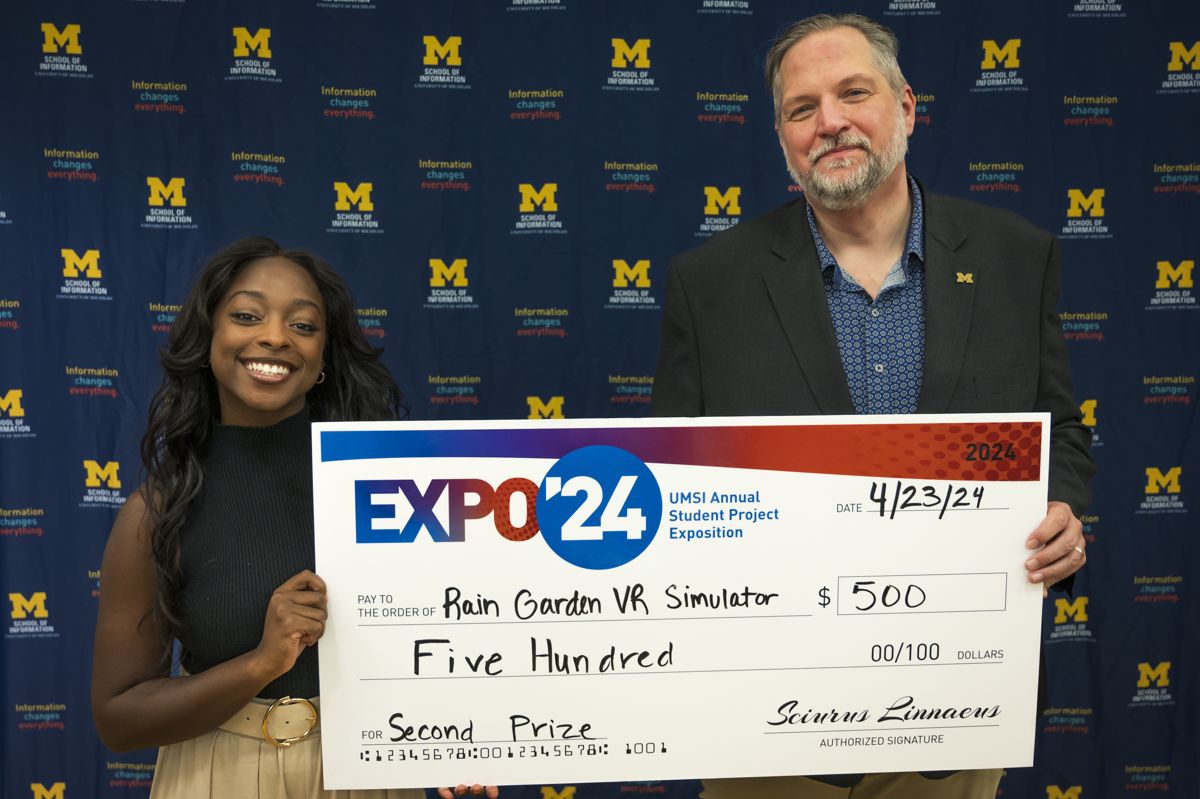
Recognized at the University of Michigan School of Information's annual exposition of student projects.
What I've learned
- Make it work, then make it betterWhen time got tight, I focused most on the checklist logic and overall functionality, a trade-off against some of the polish I could have added.
- Fix the cause, not the symptomsImported models rendered pink under the Universal Render Pipeline, and I fixed them asset by asset, which slowed me down. The real issue was the render pipeline itself, which I didn't see at the time. Now I look for the underlying technical problem before patching what it shows.
- Test to tune the detailsWith so many individual experiences in the checklist, more extensive user testing would have let me tune each one and improve the overall experience.
Built with
Designed and developed solo as a capstone for SI 659, Developing AR/VR Experiences. Adapted from a ValemVR tutorial.
Engine and language
- Unity 2022.1
- C#
- Universal Render Pipeline
XR
- XR Interaction Toolkit
- Meta Quest Pro
Interactions
- Ray selection
- Grabbables and sockets
- 2D UI in 3D space
- Teleporting
- Scene transitions
Design
- Sketches
- Two prototypes
- Accessibility review
© 2026 Faith Gowen. All rights reserved.